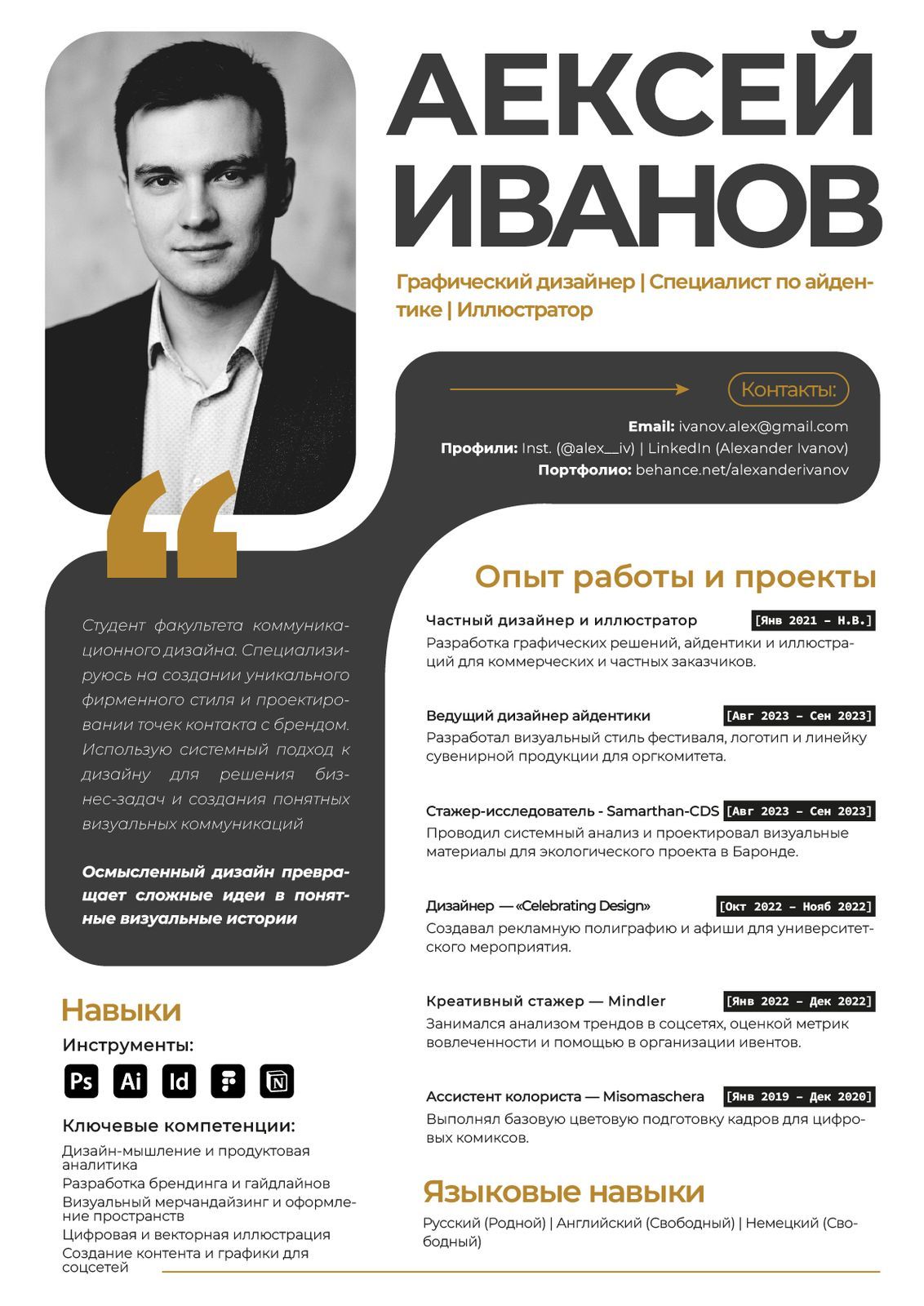
Modern CV resume template
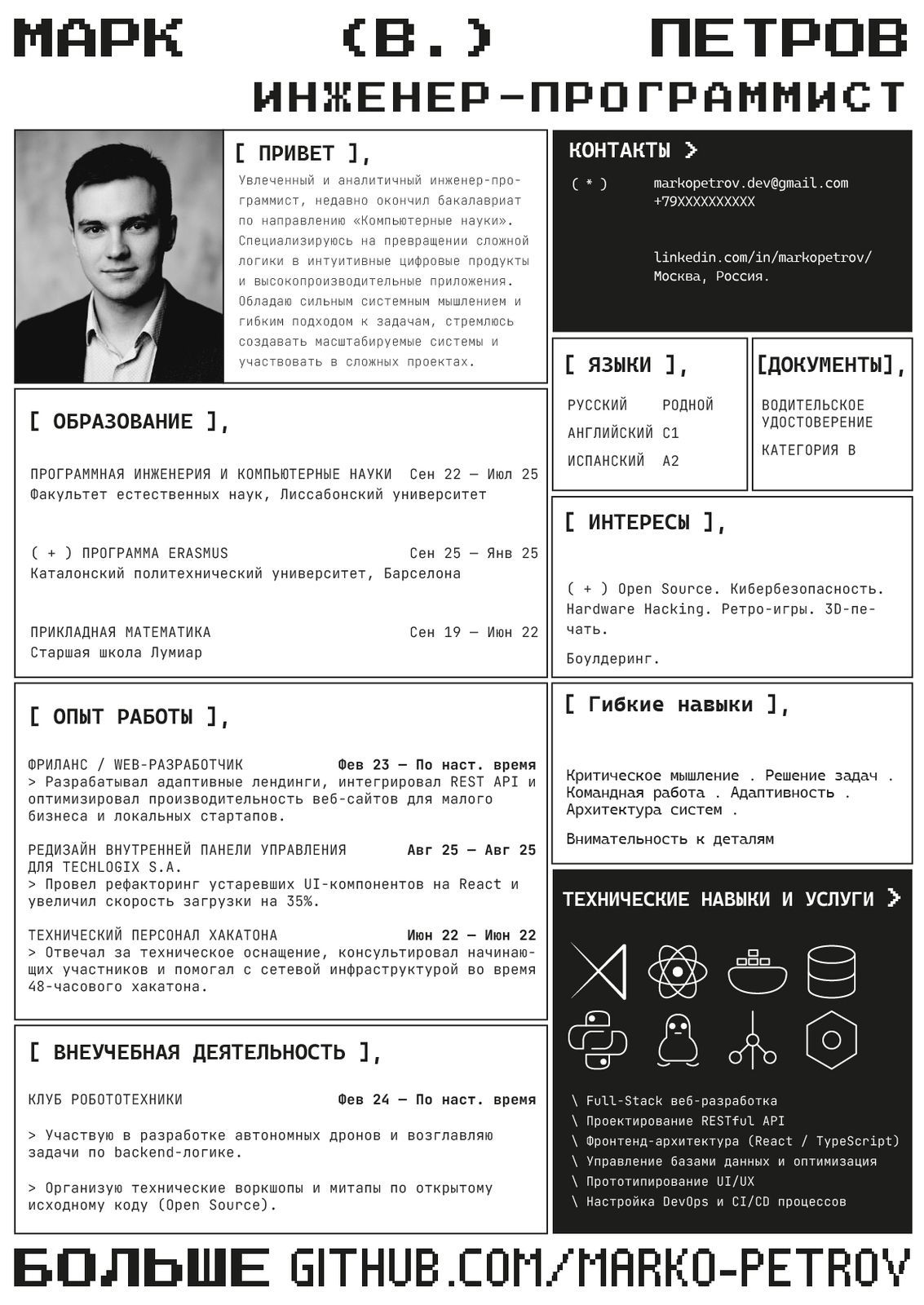
An editable vector resume template for a designer: AI, EPS, PSD, PDF, a set of fonts, English and Russian versions.
- AI
- EPS
- PSD
View template
A ready-made editable fashion portfolio and resume design: vector in PSD, AI, EPS and PDF, with a set of fonts.
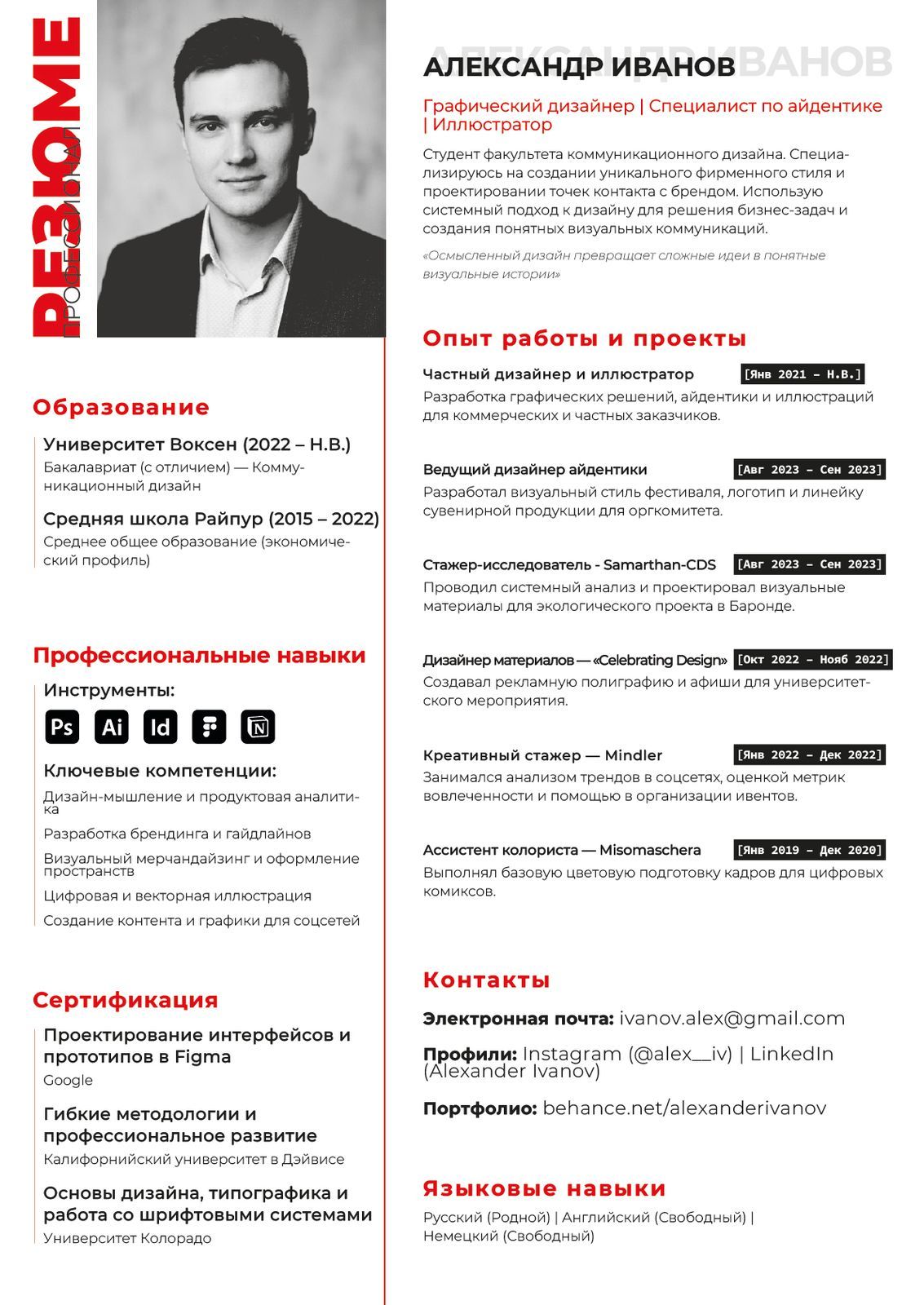
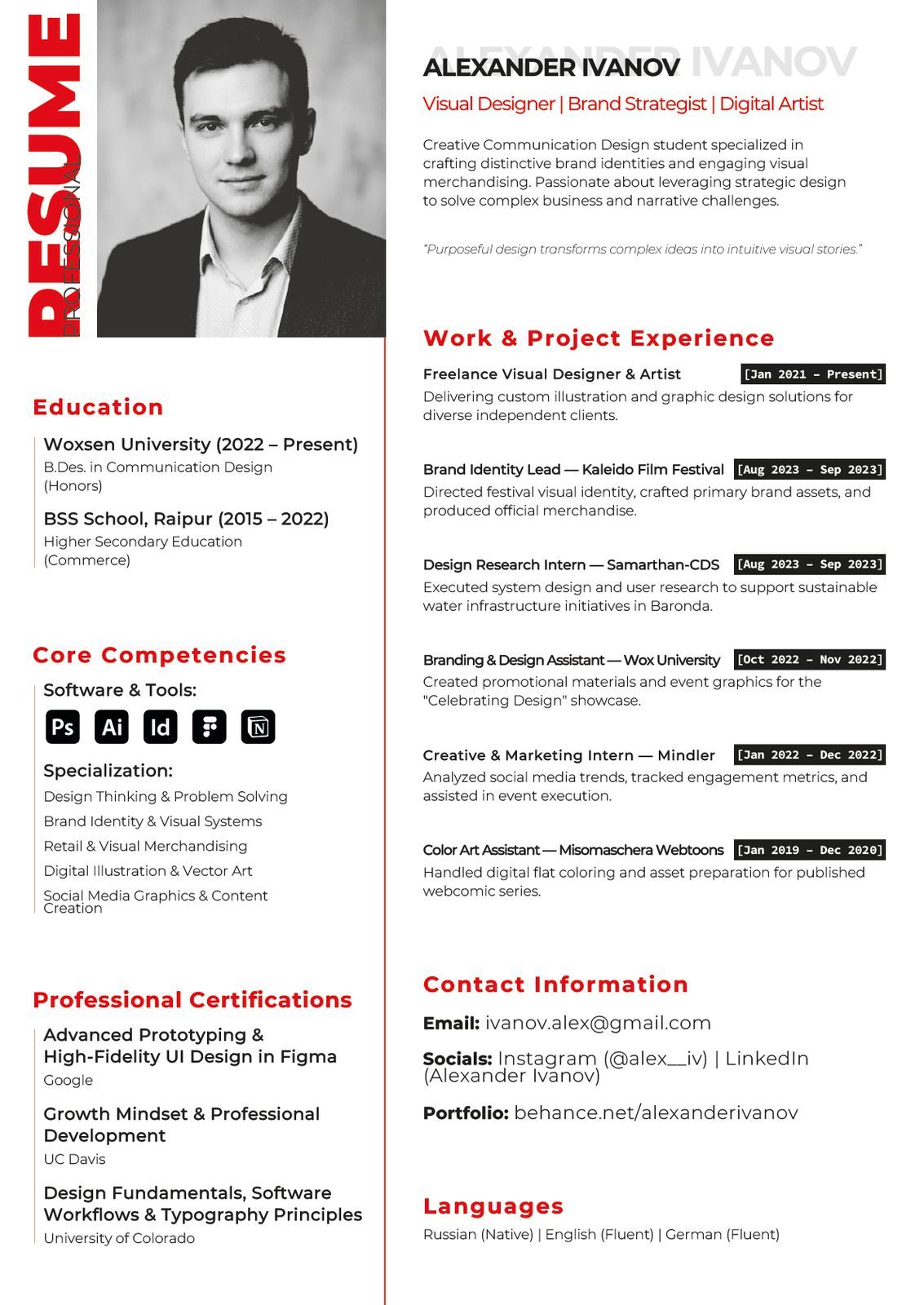
1 / 2
The file opens on Boosty right after payment. It is a vector layout: you replace the photo and the texts, and the layout stays ready.
← All templates in the boxIn the archive
Fonts are included: without them the layout opens on another computer with a substituted typeface.
Strengths
Editing
The template files and the fonts open on Boosty right after payment.
AI and EPS open in Adobe Illustrator, CorelDRAW and Inkscape; PSD opens in Adobe Photoshop.
Select the photo frame, paste your own picture and fit the crop to the frame.
Click any block and type: headings, contact details, work experience and skills.
Save the file as PDF to send to an employer, or as JPG to publish in a portfolio.
This layout solves a problem people rarely think about: how to look modern in a resume without redoing it for every application. The graphic accent is moved to the edge of the page, while the main part stays a strict two-column grid.
The left edge is taken by a vertical inscription, which also works as an index to the section. The photograph is black and white and placed in a rounded rectangle — a technique that brings all photographs to one look and stops the resume looking assembled from different sources.
The header is built on contrast: a dark name, a semi-transparent copy of the surname beside it and a caption listing the specialisms. Below is the work experience, where each position has a title, one line of results and a date in a panel. In the left column are education, skills and icons of the working tools.
The photograph, the name, the specialism, the list of experience, education, skills and contacts. The fonts, the colour and all the graphics stay as in the layout.
Designers, illustrators and those who send a resume together with a portfolio: the layout immediately looks like part of the work rather than a separate questionnaire.
Who it is for
Terms
The same set of terms applies to every template in the box.
The terms are the same for all templates in the box.
Questions
That way the photo does not argue with the colour work in the portfolio and looks the same in print and on screen. Converting it to colour is one operation in Photoshop or in the colour blend mode in vector.
Yes, it is a separate object: you can delete it or replace it with your own word.
The layout is composed as a page. Before sending it is worth attaching an ordinary text file to it — some recruiting systems read only that.
The “Download this template” button opens the template page on Boosty, where the archive is available after payment.
Yes, commercial use and reselling a filled-in template are allowed.
More in the box
An editable vector resume template for a designer: AI, EPS, PSD, PDF, a set of fonts, English and Russian versions.
View template
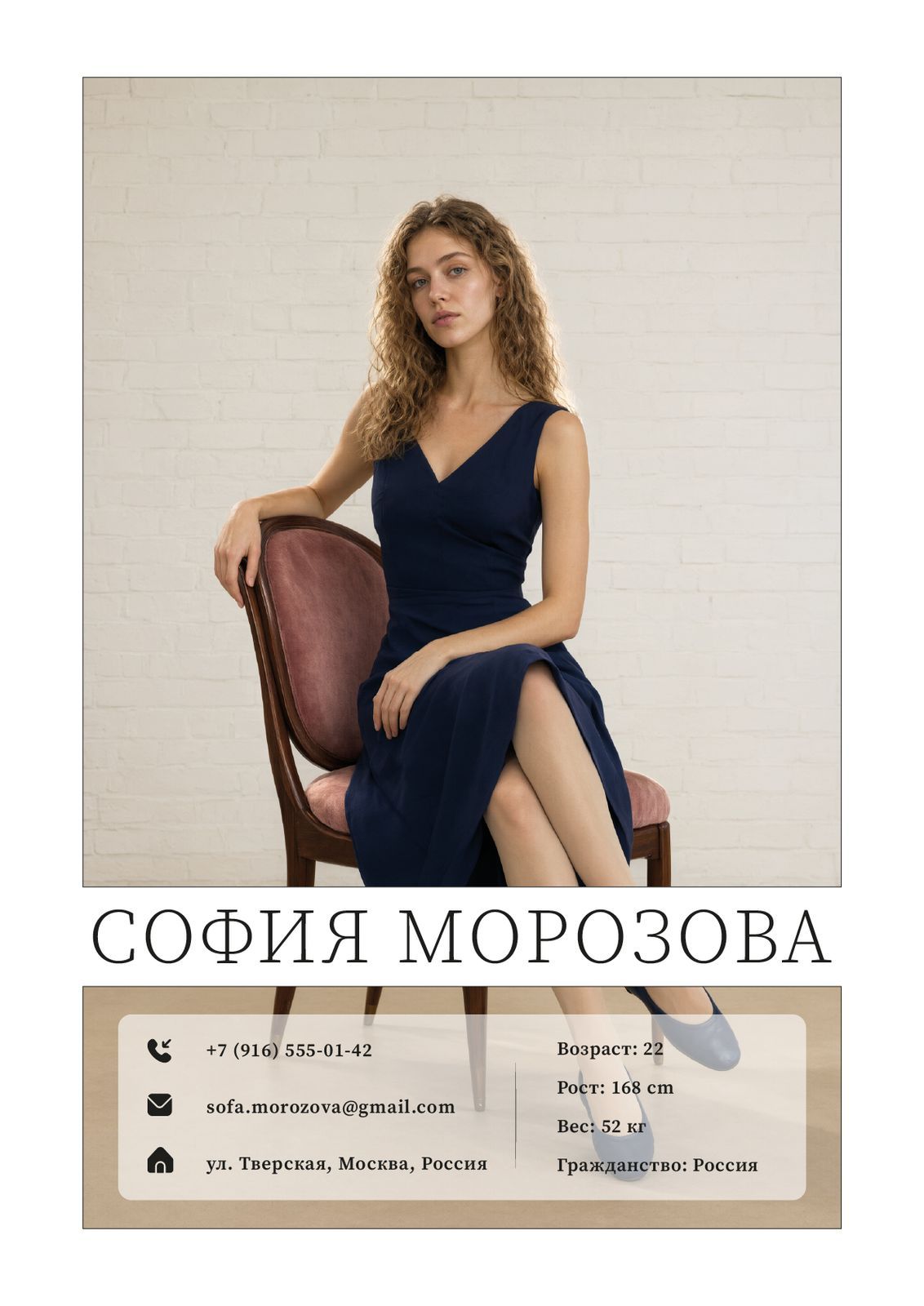
Two versions of a multi-page model resume in Russian and English: editable vector, PSD, AI, EPS, PDF and a set of fonts.
View template
An editable portfolio and resume template in Russian and English: vector in PSD, AI, EPS and PDF, a set of fonts.
View template
The set contains all the templates, the large study of the rules for writing a resume and the step-by-step guide with ready-made prompts for AI models: with them you do not have to rewrite the resume text from scratch — it is enough to bring it up to a presentable state.
On air