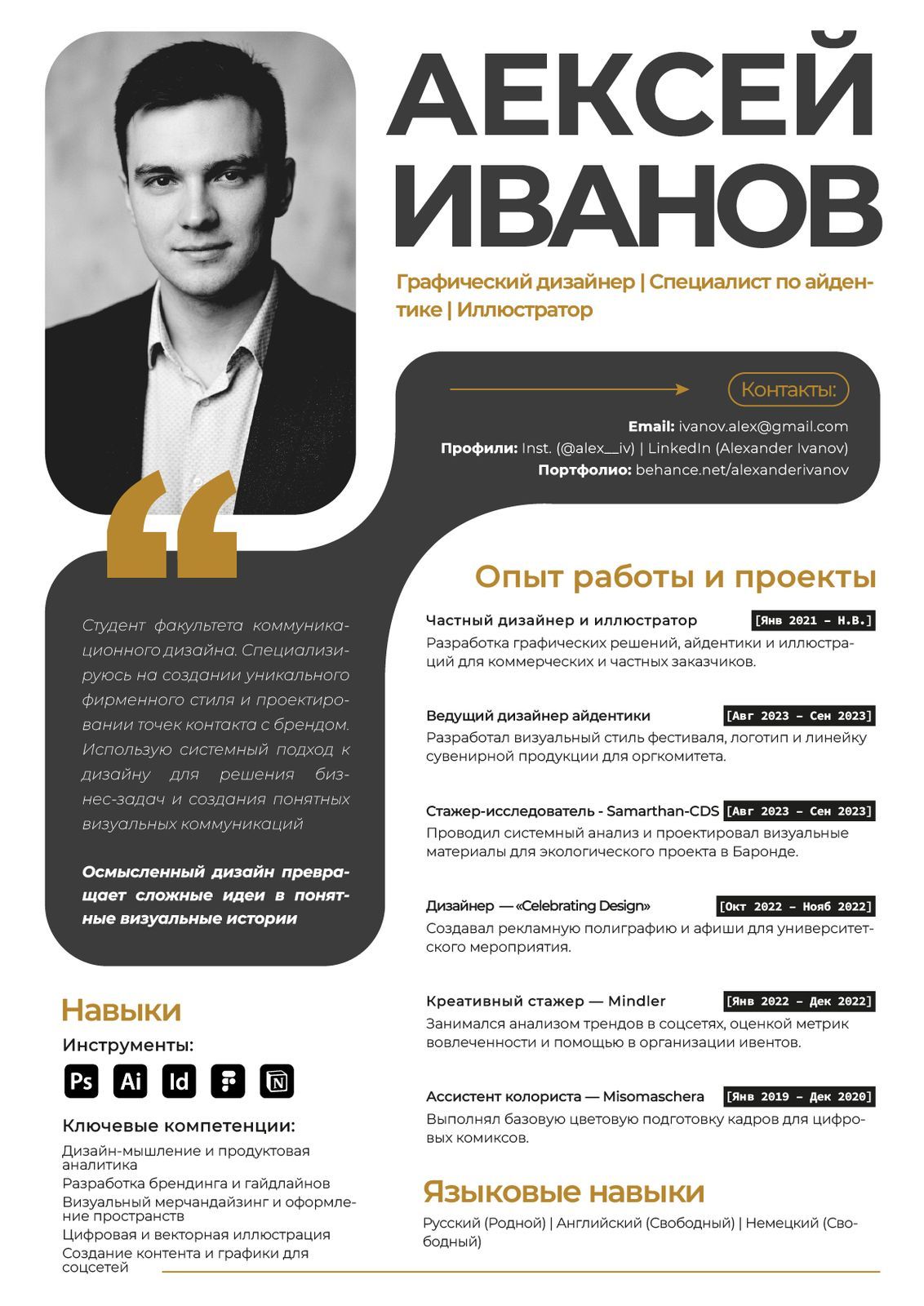
Modern CV resume template
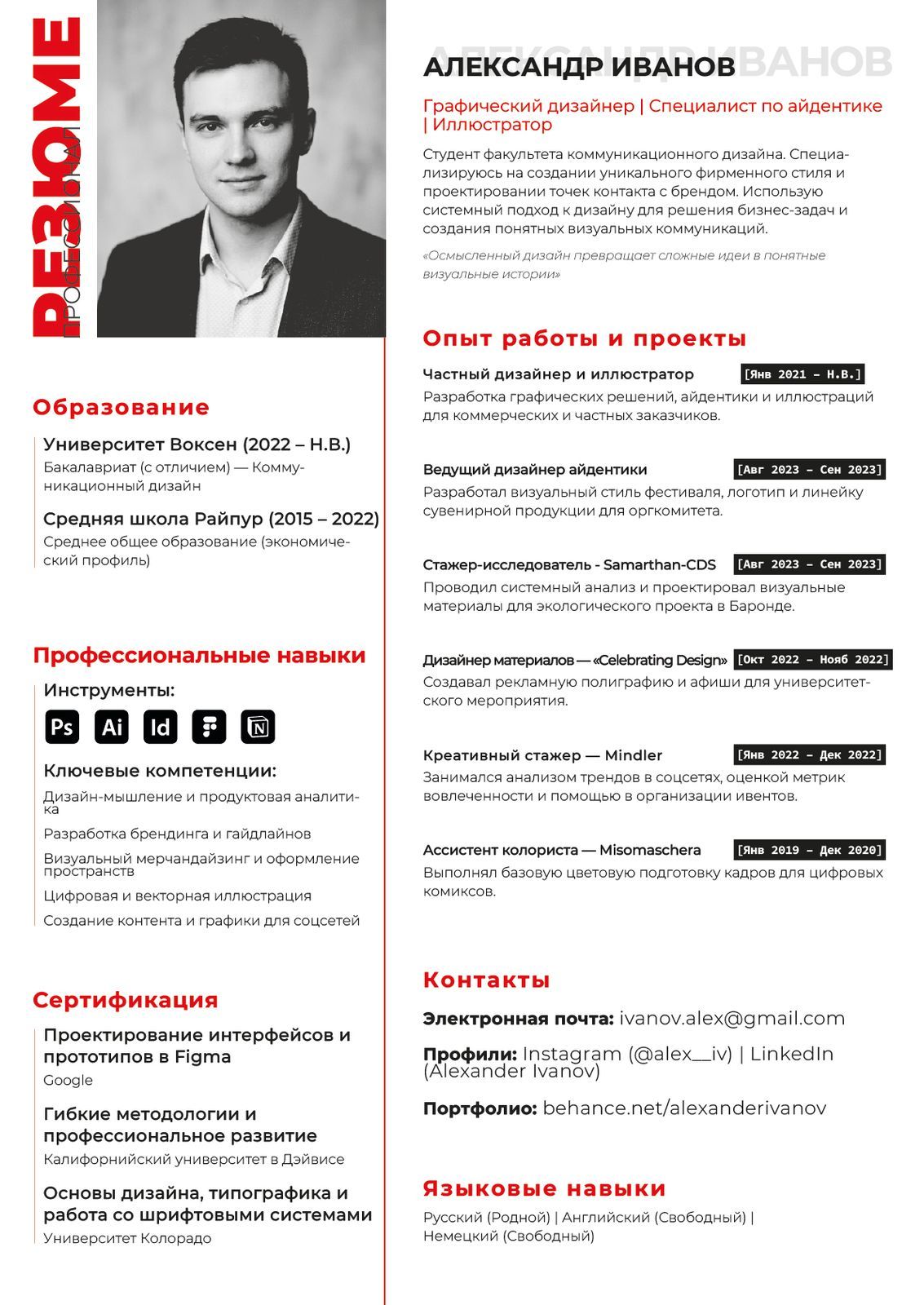
An editable vector resume template for a designer: AI, EPS, PSD, PDF, a set of fonts, English and Russian versions.
- AI
- EPS
- PSD
View template
An editable portfolio and resume template in Russian and English: vector in PSD, AI, EPS and PDF, a set of fonts.
1 / 2
The file opens on Boosty right after payment. It is a vector layout: you replace the photo and the texts, and the layout stays ready.
← All templates in the boxIn the archive
Fonts are included: without them the layout opens on another computer with a substituted typeface.
Strengths
Editing
The template files and the fonts open on Boosty right after payment.
AI and EPS open in Adobe Illustrator, CorelDRAW and Inkscape; PSD opens in Adobe Photoshop.
Select the photo frame, paste your own picture and fit the crop to the frame.
Click any block and type: headings, contact details, work experience and skills.
Save the file as PDF to send to an employer, or as JPG to publish in a portfolio.
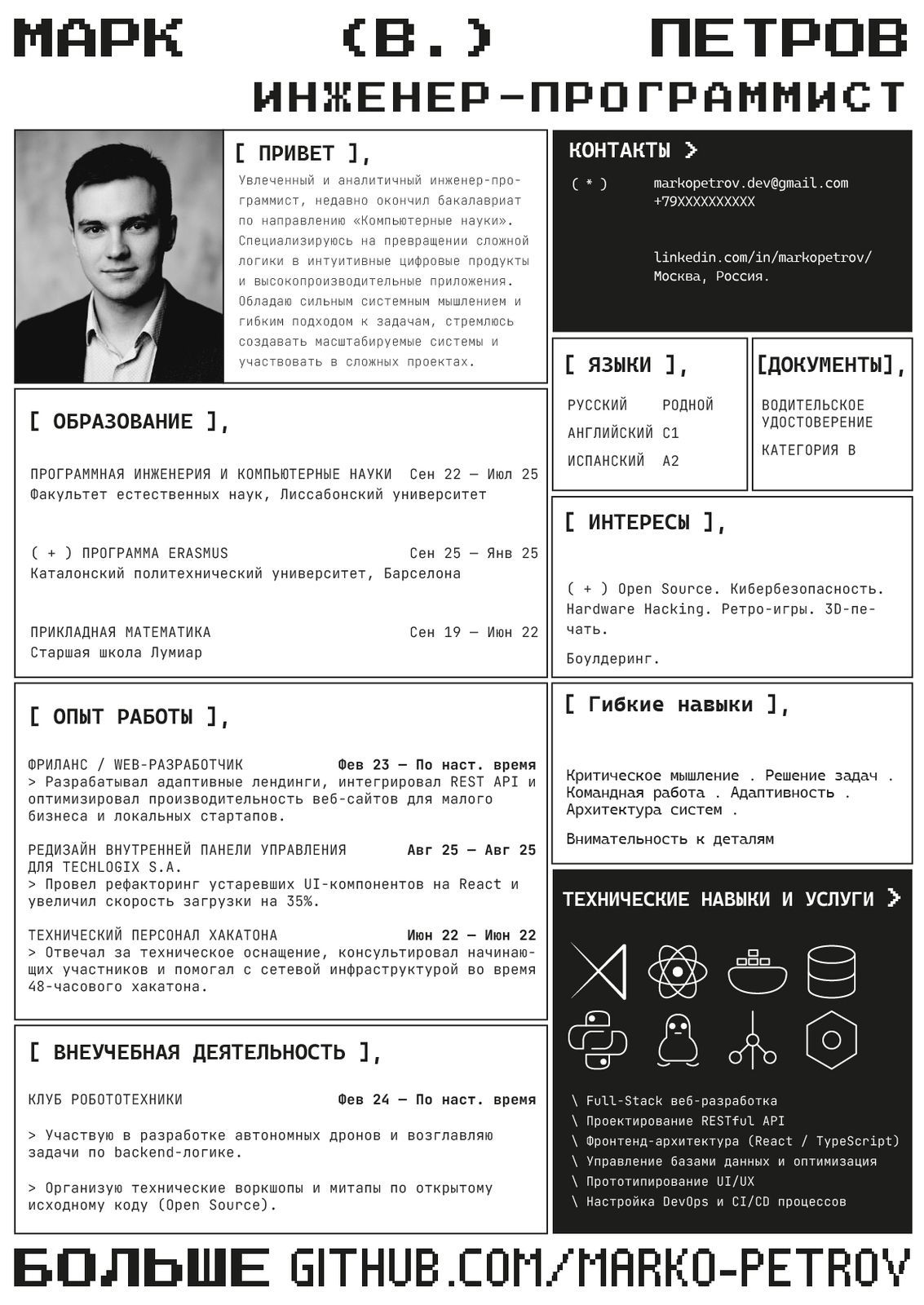
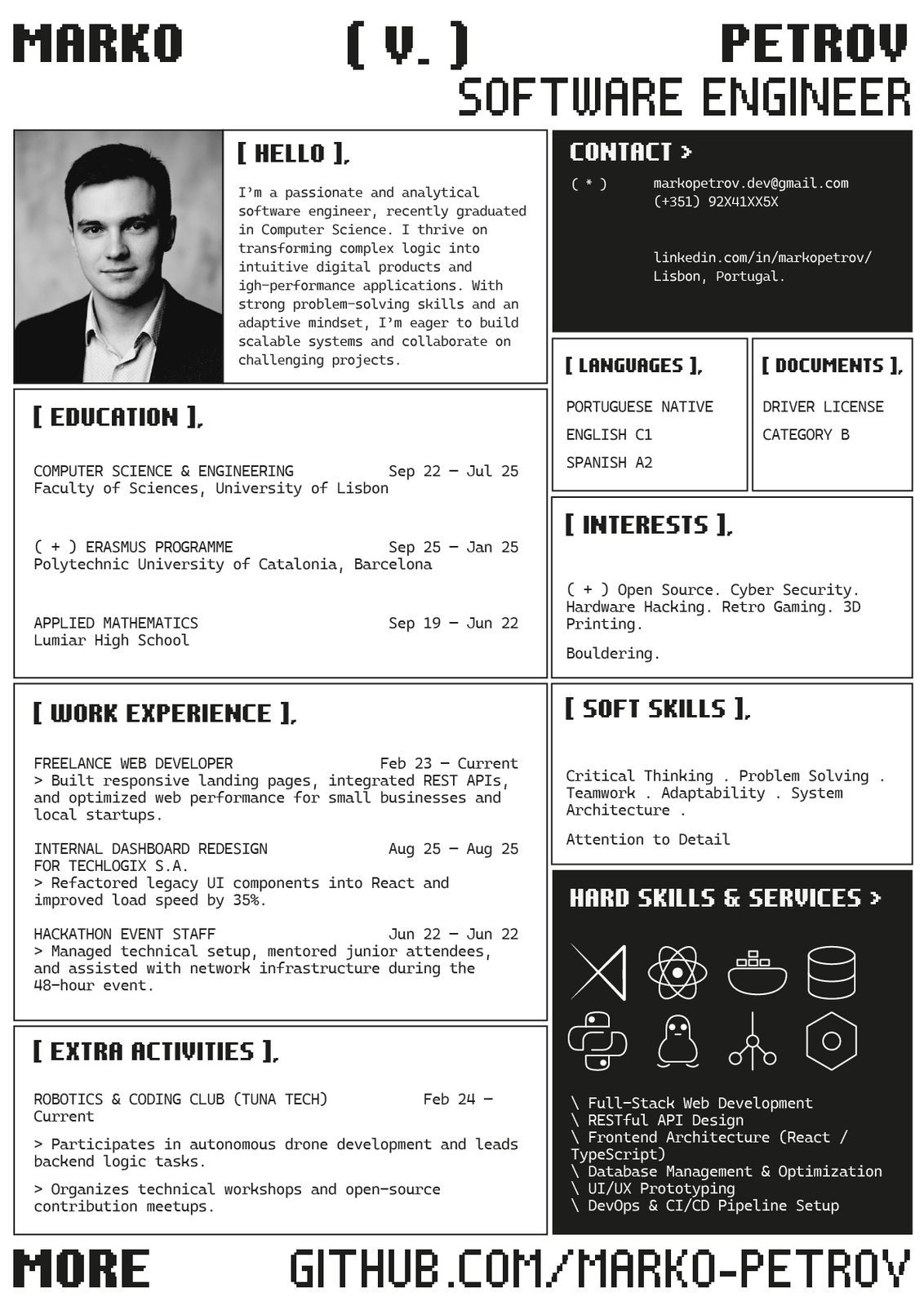
In IT a resume is read quickly and by detail. That is why the layout is built on a grid of blocks: each block has its own frame and its own label in square brackets, and the eye immediately understands where what is.
The header is set in a pixel typeface: the name, the initials and the job title. Such typography immediately says the document was made for someone from a technical environment, and it requires not a single illustration.
Then come the blocks Hello, Education, Work Experience and — in the right column — Contact, Languages, Documents, Interests and Soft Skills. Each heading has its own frame, each block its own width, so the page does not look empty even with short experience.
Hard Skills are brought out as icons on a dark panel. It is the only graphic block on the page — and it is the one that is remembered.
The name, the job title, the “Hello” text, education, experience, languages, documents and interests. The geometry of the blocks, the frames and the icons stay.
Developers, game designers and any technical specialist who does not want to send an employer a blank sheet with a table on it.
Who it is for
Terms
The same set of terms applies to every template in the box.
The terms are the same for all templates in the box.
Questions
It is used only in the headings and labels; the body text is set in an ordinary monospaced font. In IT this reads as tidiness rather than a template from 2005.
Yes, all the blocks are labelled with ordinary text: the typeface is changed by selecting and substituting.
The Hard Skills block is one row of icons — it can be removed entirely if there are many tools and they do not fit in a row.
The “Download this template” button opens the template page on Boosty, where the archive is available after payment.
Yes, teaching on the template is allowed: it is one of the ways to break down a layout using a live example.
More in the box
An editable vector resume template for a designer: AI, EPS, PSD, PDF, a set of fonts, English and Russian versions.
View template
Two versions of a multi-page model resume in Russian and English: editable vector, PSD, AI, EPS, PDF and a set of fonts.
View template
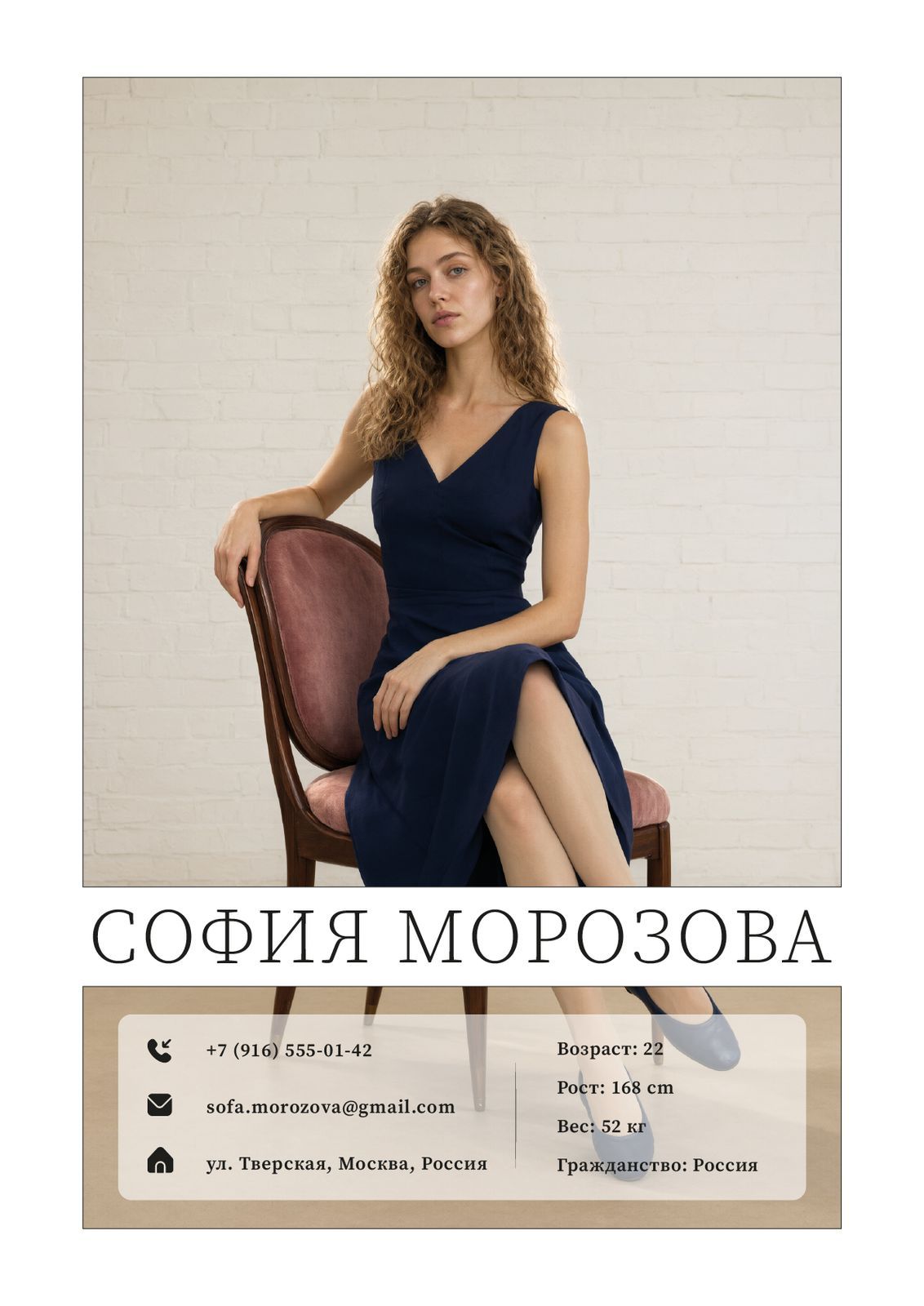
A ready-made editable fashion portfolio and resume design: vector in PSD, AI, EPS and PDF, with a set of fonts.
View template
The set contains all the templates, the large study of the rules for writing a resume and the step-by-step guide with ready-made prompts for AI models: with them you do not have to rewrite the resume text from scratch — it is enough to bring it up to a presentable state.
On air