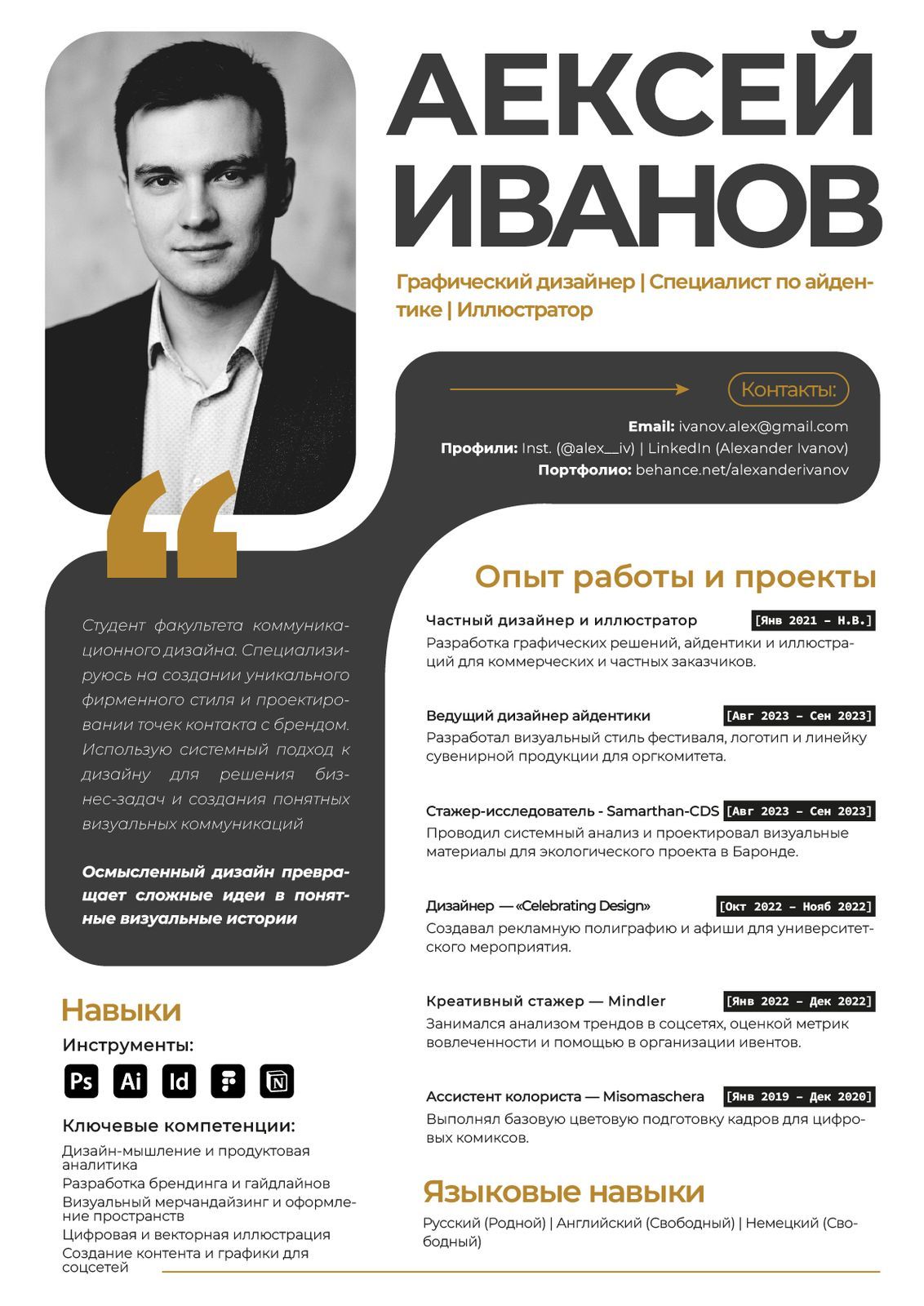
Modern CV resume template
An editable vector resume template for a designer: AI, EPS, PSD, PDF, a set of fonts, English and Russian versions.
- AI
- EPS
- PSD
View template
An editable Russian-language resume template with an experience timeline: PSD and AI, a set of fonts, vector layout.
The file opens on Boosty right after payment. It is a vector layout: you replace the photo and the texts, and the layout stays ready.
← All templates in the boxIn the archive
Fonts are included: without them the layout opens on another computer with a substituted typeface.
Strengths
Editing
The template files and the fonts open on Boosty right after payment.
AI and EPS open in Adobe Illustrator, CorelDRAW and Inkscape; PSD opens in Adobe Photoshop.
Select the photo frame, paste your own picture and fit the crop to the frame.
Click any block and type: headings, contact details, work experience and skills.
Save the file as PDF to send to an employer, or as JPG to publish in a portfolio.
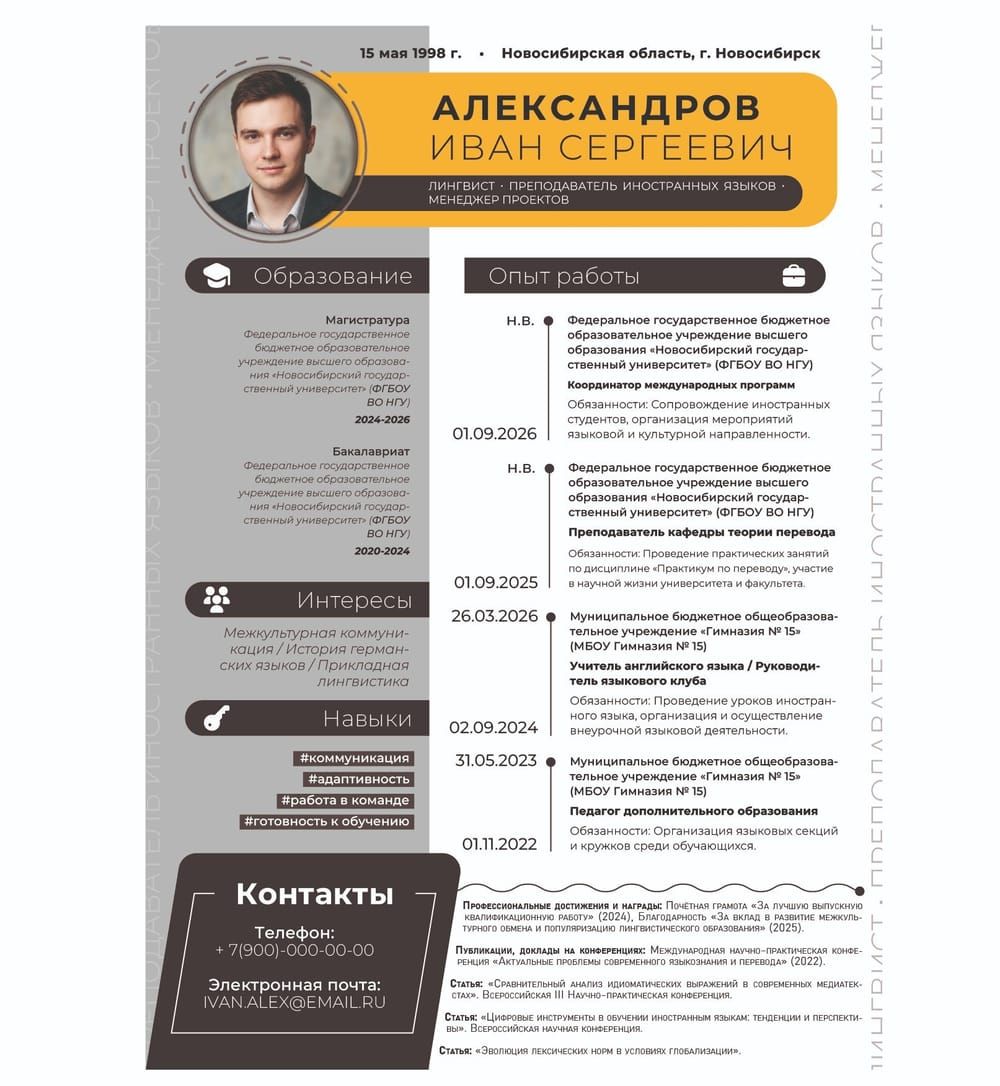
This layout solves a practical task: showing a long career on one page so that it is actually read. Instead of a list of fifteen lines there is a vertical ribbon with dates here — you can see when a person did what, without scrolling.
In the header, a photo in a circle on the left; on the right a yellow panel with the first and last name and a line of positions. The panel sets the accent of the whole page: the same yellow repeats in the section headings and in the frame of the contacts block, so the page looks assembled.
Then the document divides into two columns. On the right runs the ribbon of experience: a vertical line, dates and a detailed description of the workplace with responsibilities. On the left are education, interests and skills in tag format.
At the bottom right is a block on professional achievements and publications — what distinguishes a specialist from someone who has merely listed workplaces.
The photo, the name, the date and city, the positions, the entries in the ribbon of experience, education, interests, skills and contacts.
Those for whom a long career is the main argument in a resume: teachers, specialists with long seniority and everyone who does not need a foreign-language version.
Who it is for
Terms
The same set of terms applies to every template in the box.
The terms are the same for all templates in the box.
Questions
The layout was made for these two formats from the start: PSD if raster processing is needed, AI for fully vector work. For most tasks one file is enough.
Add and delete blocks with dates and descriptions: the timeline line and the dots on it are ordinary objects — they can be moved, added and removed.
Keep only the workplaces after 2015 and summarise the earlier experience in an “Earlier projects” block. The document becomes shorter and more readable.
The “Download this template” button opens the template page on Boosty, where the archive is available after payment.
Yes, teaching on it is allowed — it is a convenient example for breaking down a layout in an editor.
More in the box
An editable vector resume template for a designer: AI, EPS, PSD, PDF, a set of fonts, English and Russian versions.
View template
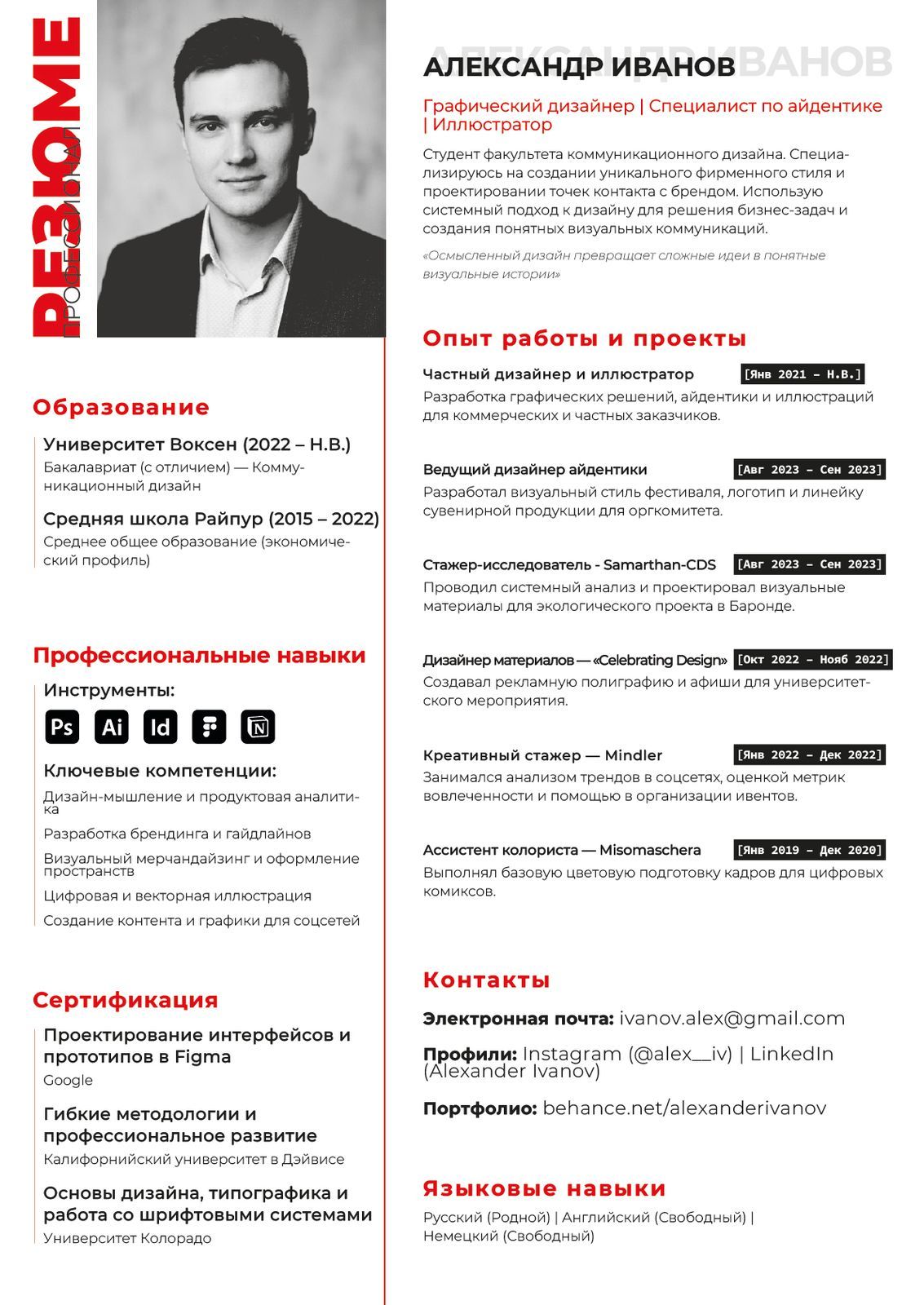
Two versions of a multi-page model resume in Russian and English: editable vector, PSD, AI, EPS, PDF and a set of fonts.
View template
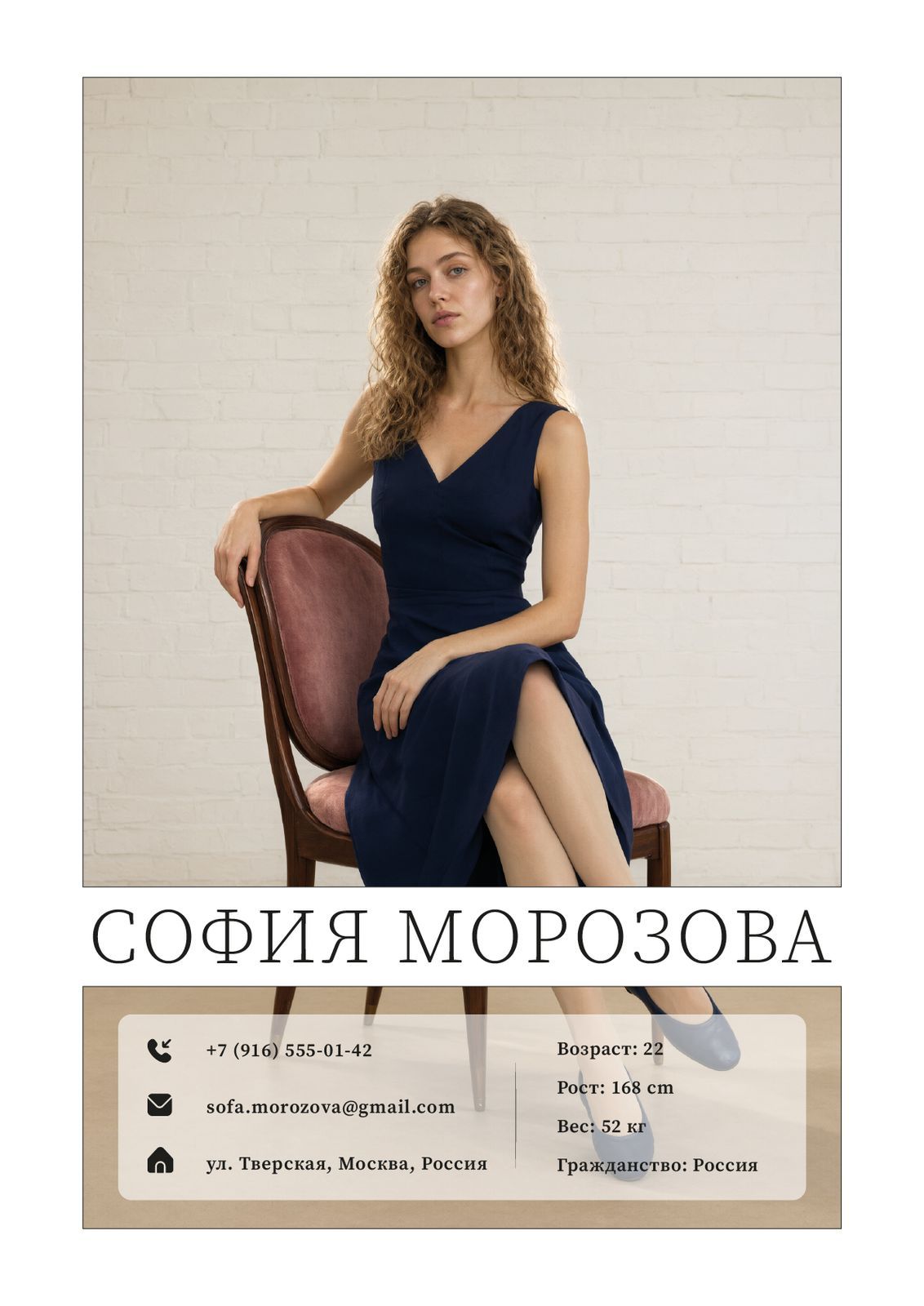
A ready-made editable fashion portfolio and resume design: vector in PSD, AI, EPS and PDF, with a set of fonts.
View template
The set contains all the templates, the large study of the rules for writing a resume and the step-by-step guide with ready-made prompts for AI models: with them you do not have to rewrite the resume text from scratch — it is enough to bring it up to a presentable state.
On air